Your AI's wrench for game mods.
Ask in plain words why your game crashed, whether it's safe to update, or why your mods keep breaking. ModWrench reads your crash logs and your setup on your own computer and gives your AI the facts to answer with.
- Free and open source (MIT)
- Runs on your machine
- No account needed
- Nothing sent to us, ever
Ask it what you'd ask a modding friend
You don't pick tools. You ask, and your AI picks the right one. Cards marked Next release arrive with ModWrench 0.3.0; the ones marked Works today are in the version you install now, which can also read a crash log you paste in.
Crash Whisperer
"Why did my game crash?"
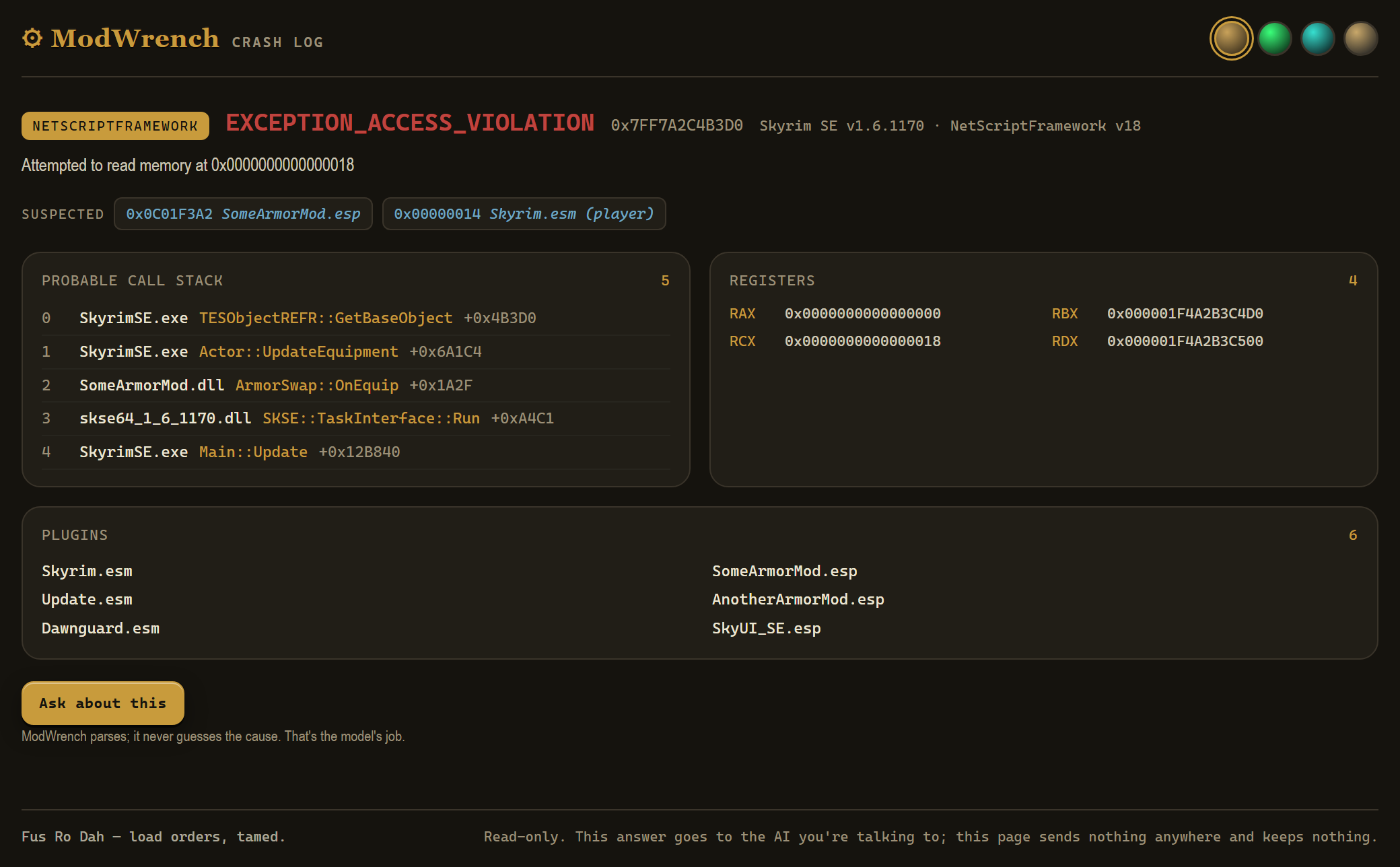
Finds your newest crash log on its own, says what happened, which mods the log points at and how sure that is, and writes a help post you can copy.
The Doctors
"Why do my mods keep breaking?"
A read-only health check of the setup behind the crashes: missing masters, plugin limits, folders Windows protects or syncs, MO2's Overwrite folder, and Steam, Proton and the Steam Deck on Linux.
Patch Day
"Is it safe to update the game?"
Checks whether your script extender plugins (SKSE, F4SE) will survive a game patch, before or after it lands.
Pulse
"Are my mods up to date?"
Checks the Thunderstore mods in your r2modman profile for updates and deprecated mods. It tells you exactly what it would send and waits for your yes.
Crew Check
"Do we all have the same mods?"
For co-op nights: each player shares a short mod list, and ModWrench says who's missing what. No network at all.
Trust Card
"Who made this mod?"
Author, uploader, where it lives and the platform's own numbers. Facts with their source, and no score: ModWrench doesn't judge anyone's mod.
Load order and LOOT
"Do any of my mods clash?"
Reads your load order from Mod Organizer 2, Vortex or r2modman and checks it against LOOT's public masterlist and the community's list of known conflicts.
Finding mods
"Find me a mod that…"
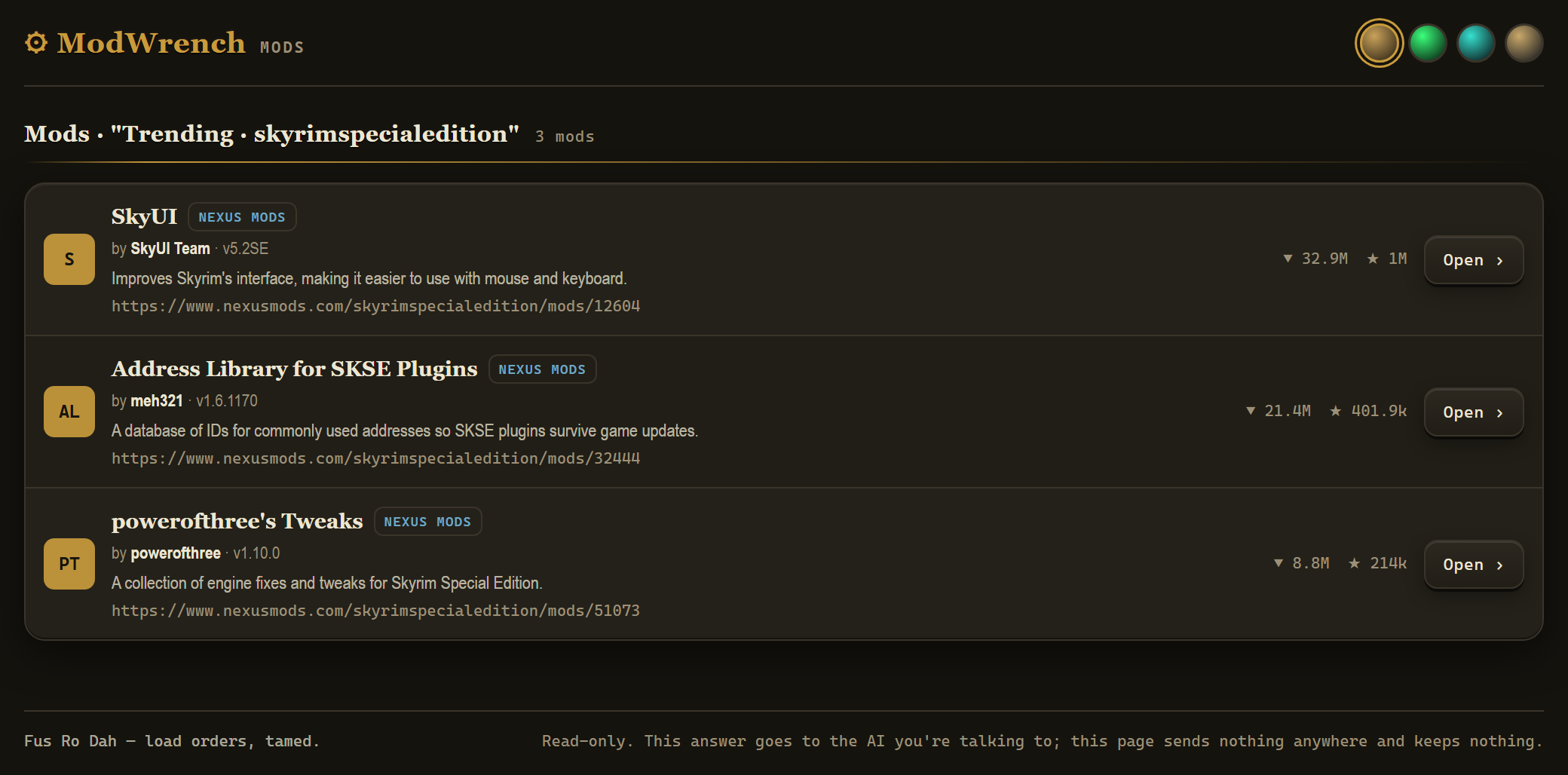
Searches Thunderstore with no account, and Nexus Mods and mod.io once you connect them, with the author on every result.
Answers you can see
Every answer comes as text any AI app can show. In apps that support MCP Apps, some answers also open as a page beside the chat. The pages can't reach the internet and keep nothing. They arrive with the next release, 0.3.0.
Made for the games people mod most
Searching and load-order reading work across many more games. These four get the deepest support today.
It's yours. Here's what that means.
ModWrench runs on your computer. There is no ModWrench service and no server of ours for it to talk to. These promises are written down in full, with how to check each one yourself, on the trust page.
- It never downloads, installs or deletes a mod.There is no download code in it.
- It never changes your load order, your mods or your game files.Every local tool opens files read-only.
- It never stores your data.Nothing is written to disk. What it reads lives in memory only until the answer reaches your AI.
- It never sends anything to us.No analytics, no crash reporting, no telemetry. No network address in its code belongs to us.
- One write action, and only when you say yes.It can endorse a mod on Nexus to credit its author. It shows you exactly what it will do first, every time.
- It never rates or scores a mod.It tells you what a mod is. It doesn't review someone's work back at them.
Install
You need Node.js 20 or newer and an AI app that supports MCP and can start a program on your computer. Thunderstore and the local tools work straight away, with no account and no key.
Claude Code
In a terminal, or in VS Code's terminal if you use the Claude Code extension:
claude mcp add --scope user modwrench -- npx -y @modwrench/cli
VS Code (Copilot Chat)
Open the Command Palette (Ctrl+Shift+P), run MCP: Add Server, choose Command (stdio) and enter npx -y @modwrench/cli. Then switch the chat to Agent mode.
Claude Desktop, Cursor, Cline, Continue, Roo Code
Add this to your app's MCP config and restart the app:
{
  "mcpServers": {
    "modwrench": {
      "command": "npx",
      "args": ["-y", "@modwrench/cli"]
    }
  }
}
Then just ask: "Why did my game crash?"
Honest about where it is
Still being tested
- The pages have been tested against a stand-in for an AI app, not yet inside Claude, VS Code or the others.
- The newest tools haven't been run against a real game install yet. Testers on PC are welcome.
What it can't do
- It can't promise a mod is safe to run. It shows what the platform records and what your files say.
- It only knows the conflicts LOOT and the community have written down.
- What it reads goes to your AI app. Where that goes is up to the app you use.
Coming next
One-click install
A single file you open to add ModWrench to Claude Desktop.
Recipes
One button for a whole job, like "before I update: Patch Day, then Pulse, then the Doctors".
Your Play Save
A snapshot of your setup under your own name, so you can see what changed since it last worked. Off until you turn it on, saved only where you choose, and never sent anywhere.